seo

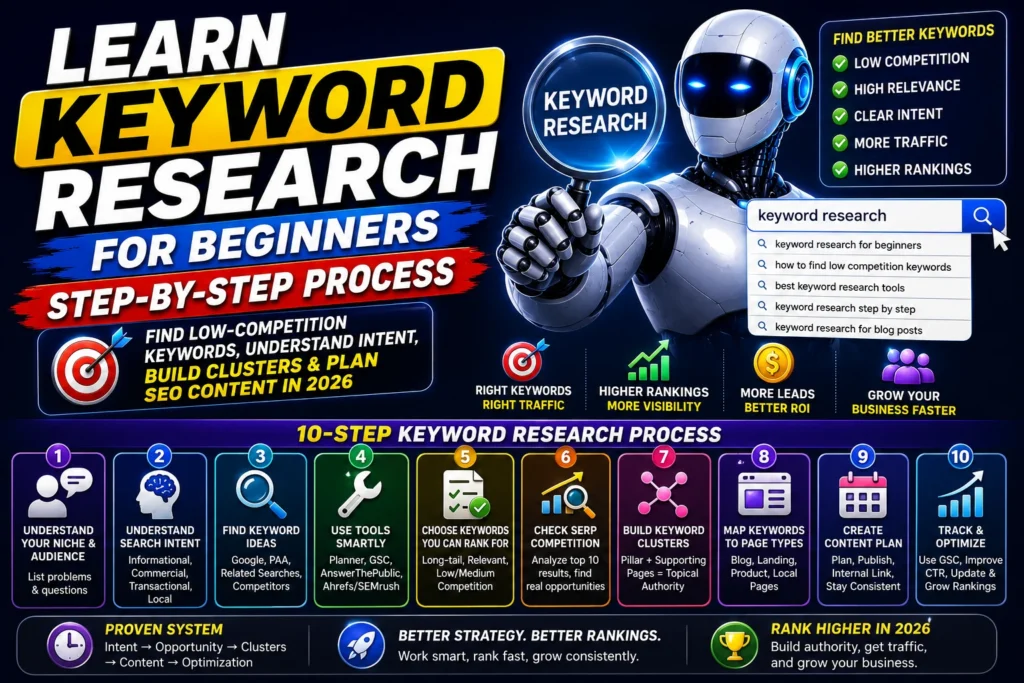
keyword research for beginners with a step-by-step process

Learn Keyword Research for Beginners in 2026

Learn keyword research for beginners with a step-by-step process to find low-competition keywords, understand search intent, build clusters, and plan SEO content in 2026. If you’re starting with SEO, keyword research can feel confusing—tools show hundreds of numbers, everyone gives different advice, and you’re left wondering: Which keywords should I actually target? Here’s the truth: keyword research is not about chasing high search volume. It’s about understanding what people want (intent), finding opportunities you can realistically rank for, and building a content plan that consistently grows traffic. From my experience working on 25+ SEO projects and optimizing 45+ websites, the websites that grow fastest are the ones that follow a simple system: Intent → Opportunity → Clusters → Content → Optimization This guide will teach you keyword research for beginners in a practical way—so you can find keywords, plan content, and start ranking. (Internal link suggestion: Link this article to your pillar guide: How to Start Digital Marketing from Scratch and to your SILO article: SEO for Beginners.) What is Keyword Research? Keyword research is the process of finding the words and phrases people type into Google and selecting the best ones to target with your content or pages. But in modern SEO, it’s more than “finding keywords.” It’s about: Understanding search intent Finding rankable opportunities Creating topic clusters Matching keywords to the right page type (blog, landing page, product page) Why Keyword Research Matters in 2026 Keyword research matters more in 2026 because: Google (and AI search) rewards intent-matching content, not keyword stuffing Competition is higher, so you need smarter targeting Keyword clusters help build topical authority CTR matters—choosing the right angle/title can increase clicks without higher rankings Businesses care about leads and sales, so keyword intent decides ROI A keyword is valuable only if it brings the right user, not just traffic. Step-by-Step Keyword Research Process for Beginners Step 1: Start With Your Niche + Customer Problems Before tools, you need clarity. Ask: Who is my audience? What problems do they have? What do they search for before buying? Example niches + problem-to-keyword ideas: Real estate: “best location to buy a flat in…” E-commerce: “best shampoo for…” / “how to choose…” Services: “cost of…” / “near me” / “best agency for…” Beginner tip: Write a list of 20–30 customer questions first. Tools come later. Step 2: Understand Search Intent (This Decides What You Rank For) Search intent is the reason behind a search. The 4 Main Types of Intent Informational: learning something “What is keyword research?” Commercial: comparing options “best keyword research tools” Transactional: ready to take action “Buy running shoes online.” Local: location-based “SEO expert in Rewari” What beginners should target first: ✅ Informational + Commercial long-tail keywords (easier to rank, strong traffic potential) What businesses love: ✅ Transactional + Local keywords (high conversion) Step 3: Find Keyword Ideas Here are the best beginner methods (free + easy): A) Google Autocomplete Type your topic and see suggestions. Example: Type “keyword research” → “keyword research for beginners” “keyword research tool” “keyword research for YouTube” B) People Also Ask (PAA) These are real questions Google shows. Use these as: H2/H3 headings FAQ section cluster topics C) Related Searches Scroll to the bottom of Google search results. D) Competitor Research (Simple Version) Search your keyword and look at: What top pages cover Which subtopics they include What keywords appear in their headings (Internal link suggestion: Link “intent” and “SEO basics” to your SEO for Beginners article.) Step 4: Beginner-Friendly Tools for Keyword Research You don’t need 10 tools. Start with these: Free tools Google Keyword Planner (basic volumes + ideas) Google Search Console (once you have a site) AnswerThePublic (question-based keyword ideas) Paid tools (optional) Ahrefs / SEMrush (best for competition + clustering) Ubersuggest (simple beginner tool) My advice: Start free. Upgrade when you need deeper data. Step 5: Choose Keywords You Can Actually Rank For This is where most beginners fail. They pick: high volume high competition broad topics Instead, use this selection checklist: ✅ Beginner Keyword Selection Checklist Choose keywords that are: Relevant to your niche Clear intent Long-tail (4+ words) Low to medium competition Match your website’s current authority level Good vs Bad Keyword Examples ❌ Bad for beginners: “SEO” “digital marketing” “keyword research” ✅ Better for beginners: “keyword research for beginners” “How to find low competition keywords.” “Keyword research for blog step by step.” “best keyword research tools for beginners” From my experience: long-tail keywords are the fastest path to early rankings. Step 6: Understand Keyword Difficulty (Without Getting Stuck) Keyword difficulty (KD) is a metric some tools use to estimate competition. But don’t rely only on KD. Use real SERP checks. Quick SERP Competition Check Search the keyword and look at: Are top results huge authority sites? (Wikipedia, big brands) Are results exactly matching the keyword intent? Are there weak pages with thin content? Are there forums or low-quality pages ranking? If you see: ✅ smaller blogs ranking ✅ outdated content ✅ weak formatting …you have a good chance. Step 7: Build Keyword Clusters (How You Rank Faster) Google doesn’t just rank pages—it ranks topics. So instead of creating random posts, build clusters. What is a Keyword Cluster? A cluster is a group of related keywords that can be covered in one topic area. Example: Keyword Research Cluster Pillar (main page): Keyword Research for Beginners Supporting cluster articles: How to find low competition keywords Best keyword research tools for beginners Search intent explained Keyword clustering guide Keyword research for blog posts This strategy builds topical authority and helps all articles rank better through internal linking. (Internal link suggestion: Link this cluster to your pillar digital marketing guide and your SEO guide.) Step 8: Map Keywords to the Right Page Type Not every keyword should be a blog post. Here’s a simple mapping: Informational keywords → Blog posts Commercial keywords → Comparison / list posts Transactional keywords → Landing pages Product keywords → Product pages / collection pages Local keywords → Location service pages This

Learn Keyword Research for Beginners in 2026 Read More »
Learn Step by Step SEO for beginners

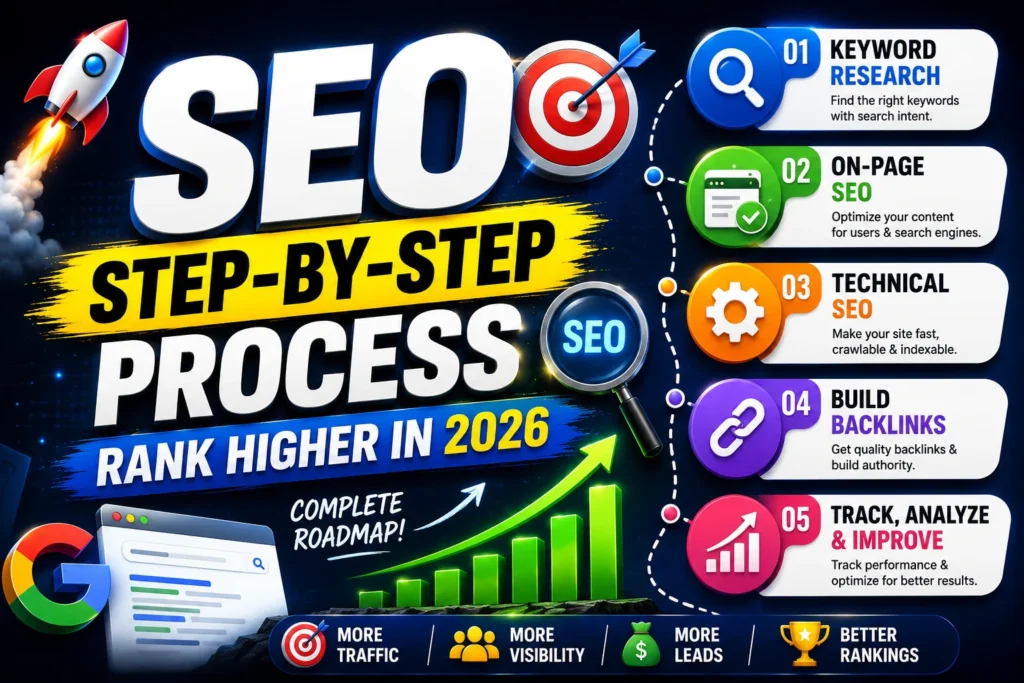
Learn Step by Step SEO for Beginners in 2026

Learn Step by Step SEO for beginners from keyword research, on-page SEO, technical SEO, backlinks, tools, and a weekly workflow to rank in 2026. If you’re learning SEO, you’ve probably noticed something frustrating: most of the articles on the internet either feel too technical, too vague, or full of “tips” that don’t tell you what to do next. SEO isn’t magic. It’s a repeatable system. From my experience working on 25+ SEO projects, SEO results come when you do the basics consistently—intent-based keywords, clean on-page structure, solid technical foundation, and continuous optimization. This article gives you a practical framework you can follow even if you’re starting from zero. When it’s all said and done, you will know the exact steps to do SEO and what you need to pay attention to in order to get rankings on Google in 2026. What is SEO? SEO is an acronym for Search Engine Optimization. This is the practice of ensuring that your website ranks highly in search results, especially on Google. In simple words: SEO is how you drive traffic from the correct audience who is looking for what you have to offer. How Google Works (Beginner Explanation) To rank your page on Google’s Search engine results page, Google follows these three steps: Crawling: Google finds out about your pages through links and sitemaps Indexing: Google stores all the data of your webpage in its database Ranking: Google decides which page is more relatable and deserves to show at the top As an SEO expert, I have to make it easy for Google to crawl and understand my site, create content that is relevant to the searcher, and give a genuinely accurate result. Why SEO Matters in 2026 SEO keeps evolving. It is a slow and time-consuming process, but it’s still one of the highest-ROI marketing channels. Here are some of the things everyone needs to keep in mind: Search intent is everything: Google wants to show the best answer to the searcher, not the most keyword-stuffed page Helpful Content wins: Pages that genuinely help users outrank thin or generic content EEAT is critical: Experience, expertise, authority, and trust matter more, especially in competitive niches AI-driven search is growing: Clear structure, direct answers, and trusted sources improve visibility in AI summaries Brands want compounding growth: SEO builds long-term traffic instead of paying for every click If anyone wants to learn a skill that stays valuable across industries, SEO is it. Step-by-Step SEO System (Beginner to Pro) Here’s the complete system I recommend to anyone learning SEO. Step 1: Keyword Research Keyword research is the foundation of SEO. If anyone can do good keyword research, it is like 50% SEO already done. Most of the beginners just try to find the high-volume keywords with the maximum competition. Everyone has to focus on the high-volume and low competition keywords for getting faster results. Also, the keyword intent is the most important factor in Keyword Research. Without intent clarity, no one can rank your webpage on Google’s Search engine results page. What matters more than volume is intent + ranking opportunity. Understand Search Intent Every keyword has a “why” behind it. The most common intents: Informational: “What is SEO?” Commercial: “best SEO tools.” Transactional: “hire SEO expert.” Local: “SEO agency near me.” Beginner tip: Start with informational + commercial long-tail keywords. They’re easier to rank and build authority. Choose Long-Tail Keywords First Long-tail keywords are longer and more specific. They usually have: Lower competition Higher conversion potential Clearer intent Examples: ❌ “SEO” ✅ “SEO for beginners step by step.” ✅ “How to do on-page SEO for blog posts.” ✅ “technical SEO checklist for beginners.” A Simple Keyword Research Workflow Pick a niche/topic (example: digital marketing, real estate marketing, skincare) List 20–30 questions beginners ask Use tools like: Google autocomplete “People Also Ask” Google Keyword Planner Ubersuggest / Ahrefs / SEMrush Select keywords based on: Clear intent Low/medium competition Relevance to your audience Group them into clusters (more on this below) From my experience: keyword clustering is one of the fastest ways to build authority and speed up rankings. Step 2: On-Page SEO (Your Ranking Essentials) On-page SEO is what you do on the page to help Google understand your content and to improve user experience. Here’s a practical checklist you can apply to every page. On-Page SEO Checklist (Beginner) ✅ Title tag: include the main keyword + make it clickable✅ Meta description: summarize the benefit clearly✅ H1: use one H1 (usually your page title)✅ H2/H3: organize content logically✅ First 100 words: naturally mention your main keyword✅ Internal links: link to related pages on your site✅ Image alt text: describe the image (include keywords naturally)✅ Short paragraphs + bullets: improve readability✅ Answer intent: your page must satisfy the query better than competitors Title Tag Example (Good vs Bad) ❌ “SEO Guide.” ✅ “SEO for Beginners: Step-by-Step Guide to Rank on Google (2026).” Internal Linking (Beginner Advantage) Internal links help: Google crawls your site Distribute authority Increase time on site Improve topical relevance Internal linking example:If you write “SEO for beginners,” link to: a keyword research guide a technical SEO checklist An on-page SEO checklist Step 3: Technical SEO (Make Your Site Rankable) Technical SEO is the behind-the-scenes work that ensures Google can crawl, index, and trust your site. This is the part most beginners ignore—but it’s often the reason good content doesn’t rank. Technical SEO Checklist for Beginners Here is the list of all the Technical SEO Checklist points that everyone must check out on their website to improve their ranking on google search engine result page. ✅ Indexing: check in Google Search Console✅ Mobile-friendly: responsive design✅ Core Web Vitals: fast loading, stable layout✅ Clean URL structure: short and readable✅ XML sitemap: helps Google discover pages✅ No broken pages: fix 404s and redirect issues✅ HTTPS security: must-have✅ Duplicate content control: canonical tags where needed Quick Technical Checks You Should Do 1) Is your page indexed?Open Google and type:site:yourdomain.com/page-urlIf it doesn’t show, check Search Console. 2) Is

Learn Step by Step SEO for Beginners in 2026 Read More »

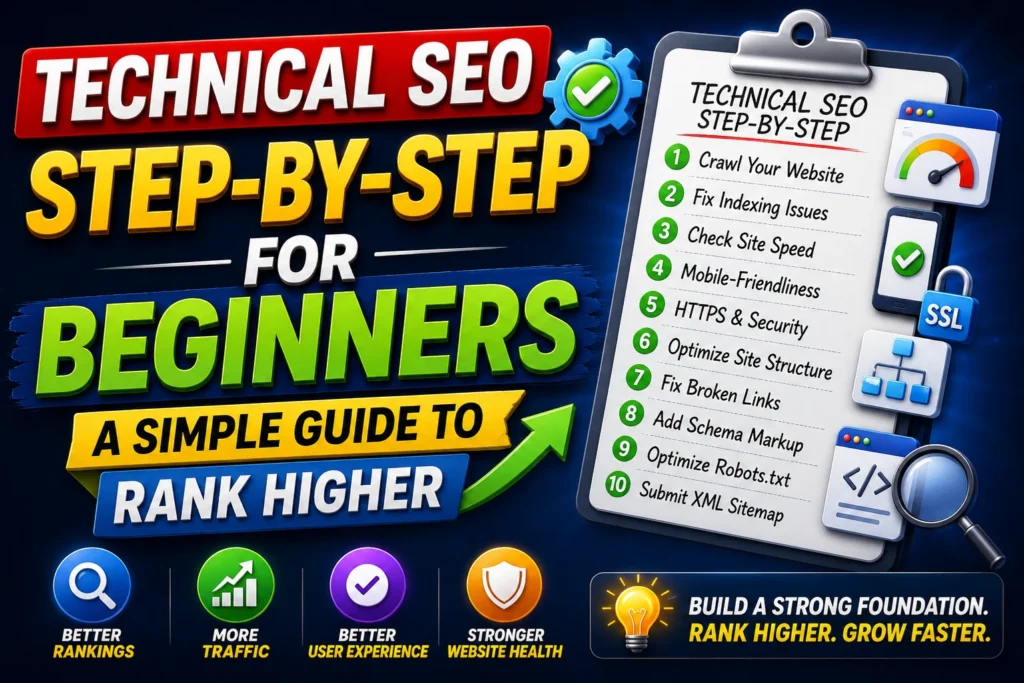
Technical SEO A Complete Step-by-Step Guide

Technical SEO A Complete Step-by-Step Guide 2026

Learn technical SEO made simple in 2026: indexing, crawlability, site speed, Core Web Vitals, mobile SEO, sitemaps, and fixes you can apply step-by-step. If you’ve written good content and done on-page SEO, but your pages still don’t rank, there’s a high chance the problem is technical SEO. Technical SEO is the foundation that helps Google crawl, index, and rank your website properly. In real projects I’ve worked on (across 25+ SEO projects and 45+ websites), I’ve seen great content fail simply because: pages weren’t indexed Site speed was poor Core Web Vitals were failing Internal crawling was broken Mobile UX was weak The good news? You don’t need to be a developer to fix most technical SEO issues. This guide explains technical SEO made simple, with a practical checklist and an easy workflow you can follow. (Internal link suggestion: Link this article to your SEO for Beginners and On-Page SEO Checklist articles.) What is Technical SEO? Technical SEO is optimizing the technical parts of your website so search engines can: Find your pages (crawl) Store them (index) Understand them (render) Rank them (serve to users) Technical SEO includes: indexing & crawlability site architecture and internal linking page speed & Core Web Vitals mobile optimization HTTPS and security sitemaps & robots.txt duplicate content control (canonicals) structured data (schema) Simple definition:Technical SEO = making your website easy for Google to access, understand, and trust. Why Technical SEO Matters in 2026 In 2026, Google is more strict about: page experience (speed + mobile + stability) crawl efficiency (how easily Google can discover your important pages) quality control (duplicate pages, thin pages, indexing issues) rendering and usability (sites relying heavily on scripts can cause issues) If technical SEO is weak: your best pages may never get indexed your rankings may be capped your ads and SEO conversions may drop due to slow landing pages Technical SEO Step-by-Step for Beginners Step 1: Indexing Basics (Make Sure Google Can See Your Pages)   Indexing is the #1 tech nical issue for many beginners. If a page isn’t indexed, it cannot rank—no matter how good it is. 1) Check if Your Page is Indexed Use Google search: site:yourdomain.com/page-url Or check inside Google Search Console: URL Inspection → Enter URL → See indexing status 2) Common Reasons Pages Don’t Get Indexed page is blocked in robots.txt “noindex” tag is active duplicate content / canonical pointing elsewhere low-quality/thin content weak internal linking (Google can’t find it) server errors or slow response 3) Quick Fixes for Indexing ✅ Ensure the page is linked from another page✅ Remove accidental “noindex”✅ Fix canonical tag if incorrect✅ Submit sitemap to Search Console✅ Request indexing (URL Inspection → Request Indexing) Pro tip from real work:If a new page isn’t indexed after a few days, internal linking is usually the missing piece. Add 2–5 internal links from relevant pages and re-request indexing. Step 2: Crawlability (Help Google Discover Your Site Efficiently) Crawlability means how easily search engines can navigate your website. Crawlability Checklist ✅ Proper internal linking✅ No broken links (404s)✅ Clean site structure (categories, menus)✅ Sitemap submitted✅ Robots.txt not blocking important pages✅ Avoid deep pages (important pages should be reachable within 3 clicks) Simple Site Structure That Works Home Category/Service Page Sub-pages / Blogs / Product pages This structure helps Google prioritize your important pages and improves crawl efficiency. (Internal link suggestion: Link to your “Keyword Research for Beginners” and “On-Page SEO Checklist” pages from your main service pages.) Step 3: Sitemaps (Make Discovery Easier) An XML sitemap is a list of your important URLs that helps Google find pages. What to Do Generate sitemap (WordPress plugins like RankMath/Yoast or Shopify built-in structure) Submit in Google Search Console: Sitemaps → add sitemap.xml Common Sitemap Mistakes sitemap contains “noindex” pages outdated URLs included lots of low-value pages (tags, filters) included Best practice:Keep sitemaps clean—only include pages you actually want to rank. Step 4: robots.txt (Control Crawling the Right Way) robots.txt tells search engines what to crawl or ignore. Beginner Rule Block only pages you don’t want indexed (admin pages, cart pages, internal search pages) Example pages often blocked: /wp-admin/ /cart/ /checkout/ internal search results pages ⚠️ Warning:Blocking important pages by mistake can kill rankings. Always double-check. Speed Optimization (Site Speed That Impacts Rankings + Conversions) Step 5: Why Speed Matters in Technical SEO Speed affects: rankings (page experience) crawl efficiency (Google crawls faster sites more) conversion rate (slow pages lose leads and sales) In e-commerce and lead-gen campaigns I’ve worked on, improving speed often improved conversions without changing traffic. Step 6: How to Check Your Website Speed Use: Google PageSpeed Insights Lighthouse (Chrome) GTmetrix (optional) Check both: Mobile Desktop Most users are on mobile, so mobile score matters more. Step 7: The Quick Speed Fix Checklist (Beginner Friendly) ✅ Compress images (WebP format if possible)✅ Use caching (plugin or server-level)✅ Reduce heavy plugins/scripts✅ Minify CSS/JS✅ Use a fast theme (avoid bloated builders)✅ Use a CDN (optional but helpful)✅ Remove unused fonts and animations✅ Optimize above-the-fold loading Fast win:Large images are often the #1 speed killer. Fixing images alone can noticeably improve speed. Core Web Vitals Made Simple (The Metrics That Matter) Core Web Vitals are Google’s experience metrics. Don’t overcomplicate them—just know what they mean and how to improve them. Step 8: The 3 Core Web Vitals (Simple Explanation) 1) LCP (Largest Contentful Paint) What it means: How fast the main content loadsGoal: Make the main content appear quickly How to improve LCP: compress images reduce heavy scripts use caching improve hosting 2) CLS (Cumulative Layout Shift) What it means: Does the page jump around while loading?Goal: Keep layout stable How to improve CLS: set fixed sizes for images/videos avoid popups that shift content load fonts properly 3) INP (Interaction to Next Paint) (replaced older interaction metrics) What it means: How fast the page responds when users click or interactGoal: Quick, smooth interactions How to improve INP: reduce heavy JavaScript remove unnecessary animations optimize scripts and plugins Beginner tip:If your site feels “slow” when

Technical SEO A Complete Step-by-Step Guide 2026 Read More »

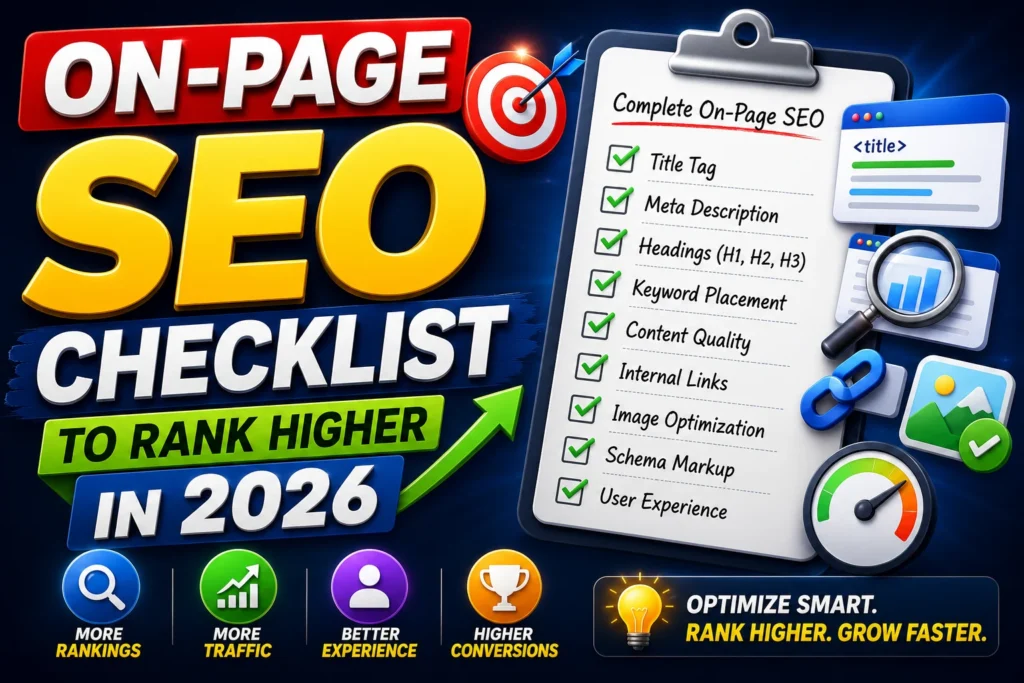
Complete On-Page SEO Checklist Step-by-Step

On-Page SEO Checklist to Rank Higher in 2026

Use this on-page SEO checklist to rank higher in 2026 from keyword placement, titles, headings, internal links, UX, images, schema, and a repeatable optimization workflow. If you’ve done keyword research and written a decent article but still aren’t ranking, the issue is often on-page SEO. On-page SEO is everything you do inside a page to help Google understand it and to make users stay, scroll, and take action. In real projects I’ve worked on (across 25+ SEO campaigns and 45+ websites), on-page improvements like better titles, cleaner structure, internal linking, and content upgrades have delivered noticeable ranking lifts—sometimes without building a single new backlink. Complete On-Page SEO Checklist Step-by-Step This article is the step-by-step on-page SEO checklist you can use for: blog posts service pages landing pages product pages Step 1: Get the Keyword Targeting Right Before you optimize anything, confirm: one primary keyword 5–15 secondary keywords (variations and subtopics) Beginner mistake: targeting multiple unrelated keywords on one page. Best practice: One page = one main intent. Use secondary keywords to cover the topic deeply, not to stuff the page. Read the topic on Keyword Research for Beginners for better understanding about keyword research types and their importance to rank on the search engine result page Step 2: Optimize the Title Tag Your title tag influences: ranking relevance (a little) click-through rate (a lot) Title Tag Checklist ✅ Include primary keyword near the beginning✅ Keep it clear and benefit-driven✅ Use a compelling angle (step-by-step, checklist, template, 2026)✅ Keep it readable (avoid keyword stuffing) Good examples: “On-Page SEO Checklist (Step-by-Step for Higher Rankings in 2026)” “On-Page SEO for Beginners: 25-Point Checklist That Works” Bad examples: “On Page SEO On Page SEO Checklist On Page SEO Tips” (spammy) Pro tip (CTR):If impressions are deep but clicks are low in Search Console, rewrite the title first. Step 3: Write a Clickable Meta Description (Not a Ranking Factor, But a Traffic Factor) Meta descriptions don’t directly boost rankings, but they increase clicks, which can improve performance over time. Meta Description Checklist ✅ Mention the main keyword once✅ Promise a clear outcome✅ Include specifics (steps, checklist, tools)✅ Keep it ~150–160 characters Example:“Use this on-page SEO checklist to rank higher in 2026—titles, headings, internal links, content structure, images, schema, and UX optimization.” Step 4: Optimize the URL (Clean and Simple) A good URL helps usability and clarity. ✅ Short✅ Readable✅ Includes keyword✅ Uses hyphens Good:/on-page-seo-checklistBad:/blog?id=2387&cat=seo2026 Step 5: Use One H1 and a Clear Heading Structure (H2/H3) Google (and readers) rely on structure. Heading Checklist ✅ Only one H1 (page title)✅ Use H2 for main sections✅ Use H3 for sub-steps✅ Avoid skipping levels (H2 → H4) Pro tip:Your headings should read like a table of contents. If someone scans only headings, they should still understand your page. Step 6: Optimize the First 100 Words (Relevance Signal) The first 100 words should: Confirm the topic match search intent naturally include the primary keyword Example opening formula: “If you’re looking for [primary keyword], this guide shows you…” Add a quick promise and preview of the steps. Avoid: forcing keywords in unnatural ways. Step 7: Create Content That Fully Satisfies Intent This is where most pages fail. Ask: What does the user want to achieve? What questions will they ask next? What would make this the best page on Google? Content Depth Checklist ✅ Cover the main topic + subtopics✅ Add examples and frameworks✅ Include checklists/steps✅ Add FAQs (People Also Ask)✅ Use short paragraphs + bullets for readability From my experience:Pages rank faster when they answer follow-up questions inside the same article (Google sees it as complete and helpful). Step 8: Keyword Placement (Natural, Strategic) Keyword placement still matters, but it must feel natural. Keyword Placement Checklist ✅ Primary keyword in: Title tag H1 first 100 words 1–2 H2s (if natural) conclusion (optional) ✅ Secondary keywords in: H2/H3 where relevant body content naturally FAQs ✅ Use semantic terms (related words) to show topical coverage. Avoid: keyword stuffing repeating an exact match in every paragraph Rule I follow:Write naturally first, optimize after. Step 9: Internal Linking (Topical Authority Booster) Internal links help: Google crawl pages pass authority build topical clusters improve time on site Internal Linking Checklist ✅ Link to 2–5 relevant pages (clusters)✅ Use descriptive anchor text (not “click here”)✅ Link both ways: pillar → cluster and cluster → pillar✅ Add links where they help the reader (not forced) Example internal links for your SEO silo: link to “SEO for Beginners.” link to “Keyword Research for Beginners.” link to “Technical SEO Made Simple” (future silo) Step 10: Optimize Images (SEO + UX) Images improve engagement, but can hurt speed if not optimized. Image Checklist ✅ Compress images (fast loading)✅ Use descriptive filenames: on-page-seo-checklist.png✅ Add alt text that describes the image: Alt: “on page SEO checklist for beginners.”✅ Use relevant visuals (checklists, diagrams) Pro tip:Add 3–5 images in long-form content. It improves readability and time on page. Step 11: Add Schema Markup (Rich Results Advantage) Schema helps Google understand your page and can improve SERP appearance. Best schema types for on-page SEO articles: Article schema FAQ schema (for your FAQ section) HowTo schema (if you present steps clearly) Even when the schema doesn’t create rich snippets, it improves clarity for AI search systems. Step 12: Improve UX and Readability (Hidden Ranking Factor) User experience affects: bounce rate dwell time engagement UX Checklist ✅ Short paragraphs (2–3 lines)✅ Bullets and numbered steps✅ Bold key points✅ Clear table of contents✅ Mobile-friendly formatting✅ Fast page load✅ Avoid heavy popups Quick rule:If the page feels hard to read on mobile, rankings suffer. Common On-Page SEO Mistakes to Avoid Writing without intent (content mismatch) Weak titles (low CTR) No internal linking (slow crawling + weak authority) Thin content (doesn’t answer the full query) Over-optimizing keywords (stuffing) Ignoring mobile readability Heavy images are slowing the page Conclusion If you want faster SEO results, start with on-page SEO. It’s the easiest “lever” to pull because it’s fully in your control. A well-optimized page: matches intent is structured clearlyIt 

On-Page SEO Checklist to Rank Higher in 2026 Read More »