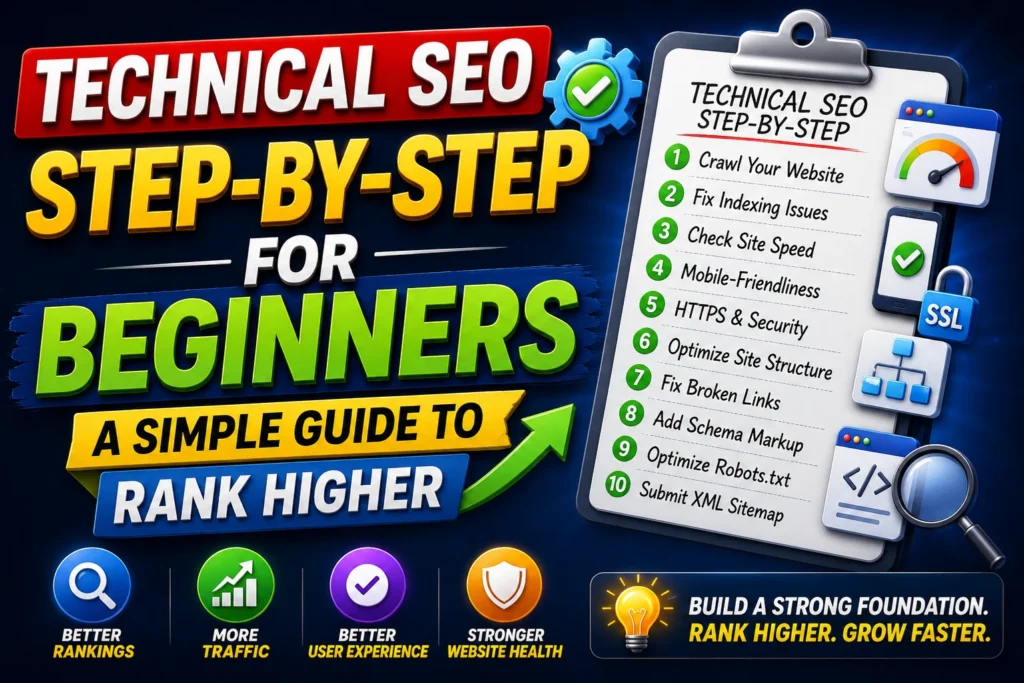
Learn technical SEO made simple in 2026: indexing, crawlability, site speed, Core Web Vitals, mobile SEO, sitemaps, and fixes you can apply step-by-step.
If you’ve written good content and done on-page SEO, but your pages still don’t rank, there’s a high chance the problem is technical SEO.
Technical SEO is the foundation that helps Google crawl, index, and rank your website properly. In real projects I’ve worked on (across 25+ SEO projects and 45+ websites), I’ve seen great content fail simply because:
- pages weren’t indexed
- Site speed was poor
- Core Web Vitals were failing
- Internal crawling was broken
- Mobile UX was weak
The good news? You don’t need to be a developer to fix most technical SEO issues. This guide explains technical SEO made simple, with a practical checklist and an easy workflow you can follow.
(Internal link suggestion: Link this article to your SEO for Beginners and On-Page SEO Checklist articles.)
What is Technical SEO?
Technical SEO is optimizing the technical parts of your website so search engines can:
- Find your pages (crawl)
- Store them (index)
- Understand them (render)
- Rank them (serve to users)
Technical SEO includes:
- indexing & crawlability
- site architecture and internal linking
- page speed & Core Web Vitals
- mobile optimization
- HTTPS and security
- sitemaps & robots.txt
- duplicate content control (canonicals)
- structured data (schema)
Simple definition:
Technical SEO = making your website easy for Google to access, understand, and trust.
Why Technical SEO Matters in 2026
In 2026, Google is more strict about:
- page experience (speed + mobile + stability)
- crawl efficiency (how easily Google can discover your important pages)
- quality control (duplicate pages, thin pages, indexing issues)
- rendering and usability (sites relying heavily on scripts can cause issues)
If technical SEO is weak:
- your best pages may never get indexed
- your rankings may be capped
- your ads and SEO conversions may drop due to slow landing pages
Technical SEO Step-by-Step for Beginners
Step 1: Indexing Basics (Make Sure Google Can See Your Pages)
Indexing is the #1 tech
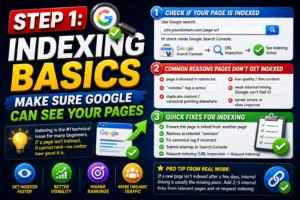
nical issue for many beginners. If a page isn’t indexed, it cannot rank—no matter how good it is.
1) Check if Your Page is Indexed
Use Google search:
site:yourdomain.com/page-url
Or check inside Google Search Console:
- URL Inspection → Enter URL → See indexing status
2) Common Reasons Pages Don’t Get Indexed
- page is blocked in robots.txt
- “noindex” tag is active
- duplicate content / canonical pointing elsewhere
- low-quality/thin content
- weak internal linking (Google can’t find it)
- server errors or slow response
3) Quick Fixes for Indexing
✅ Ensure the page is linked from another page
✅ Remove accidental “noindex”
✅ Fix canonical tag if incorrect
✅ Submit sitemap to Search Console
✅ Request indexing (URL Inspection → Request Indexing)
Pro tip from real work:
If a new page isn’t indexed after a few days, internal linking is usually the missing piece. Add 2–5 internal links from relevant pages and re-request indexing.
Step 2: Crawlability (Help Google Discover Your Site Efficiently)
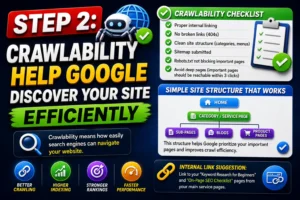
Crawlability means how easily search engines can navigate your website.
Crawlability Checklist
✅ Proper internal linking
✅ No broken links (404s)
✅ Clean site structure (categories, menus)
✅ Sitemap submitted
✅ Robots.txt not blocking important pages
✅ Avoid deep pages (important pages should be reachable within 3 clicks)
Simple Site Structure That Works
- Home
- Category/Service Page
- Sub-pages / Blogs / Product pages
- Category/Service Page
This structure helps Google prioritize your important pages and improves crawl efficiency.
(Internal link suggestion: Link to your “Keyword Research for Beginners” and “On-Page SEO Checklist” pages from your main service pages.)
Step 3: Sitemaps (Make Discovery Easier)
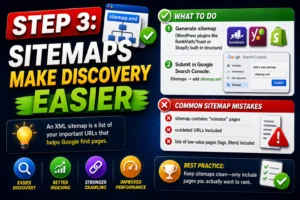
An XML sitemap is a list of your important URLs that helps Google find pages.
What to Do
- Generate sitemap (WordPress plugins like RankMath/Yoast or Shopify built-in structure)
- Submit in Google Search Console:
- Sitemaps → add
sitemap.xml
- Sitemaps → add
Common Sitemap Mistakes
- sitemap contains “noindex” pages
- outdated URLs included
- lots of low-value pages (tags, filters) included
Best practice:
Keep sitemaps clean—only include pages you actually want to rank.
Step 4: robots.txt (Control Crawling the Right Way)
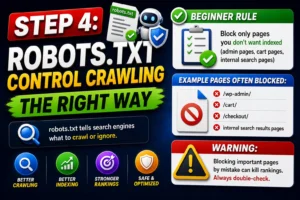
robots.txt tells search engines what to crawl or ignore.
Beginner Rule
- Block only pages you don’t want indexed (admin pages, cart pages, internal search pages)
Example pages often blocked:
- /wp-admin/
- /cart/
- /checkout/
- internal search results pages
⚠️ Warning:
Blocking important pages by mistake can kill rankings. Always double-check.
Speed Optimization (Site Speed That Impacts Rankings + Conversions)
Step 5: Why Speed Matters in Technical SEO
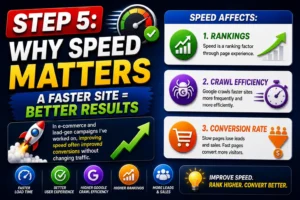
Speed affects:
- rankings (page experience)
- crawl efficiency (Google crawls faster sites more)
- conversion rate (slow pages lose leads and sales)
In e-commerce and lead-gen campaigns I’ve worked on, improving speed often improved conversions without changing traffic.
Step 6: How to Check Your Website Speed
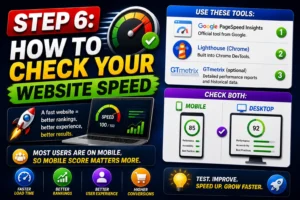
Use:
- Google PageSpeed Insights
- Lighthouse (Chrome)
- GTmetrix (optional)
Check both:
- Mobile
- Desktop
Most users are on mobile, so mobile score matters more.
Step 7: The Quick Speed Fix Checklist (Beginner Friendly)
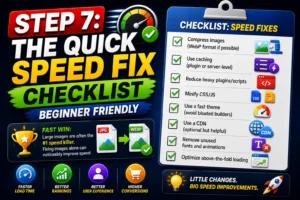
✅ Compress images (WebP format if possible)
✅ Use caching (plugin or server-level)
✅ Reduce heavy plugins/scripts
✅ Minify CSS/JS
✅ Use a fast theme (avoid bloated builders)
✅ Use a CDN (optional but helpful)
✅ Remove unused fonts and animations
✅ Optimize above-the-fold loading
Fast win:
Large images are often the #1 speed killer. Fixing images alone can noticeably improve speed.
Core Web Vitals Made Simple (The Metrics That Matter)
Core Web Vitals are Google’s experience metrics. Don’t overcomplicate them—just know what they mean and how to improve them.
Step 8: The 3 Core Web Vitals (Simple Explanation)
1) LCP (Largest Contentful Paint)
What it means: How fast the main content loads
Goal: Make the main content appear quickly
How to improve LCP:
- compress images
- reduce heavy scripts
- use caching
- improve hosting
2) CLS (Cumulative Layout Shift)
What it means: Does the page jump around while loading?
Goal: Keep layout stable
How to improve CLS:
- set fixed sizes for images/videos
- avoid popups that shift content
- load fonts properly
3) INP (Interaction to Next Paint) (replaced older interaction metrics)
What it means: How fast the page responds when users click or interact
Goal: Quick, smooth interactions
How to improve INP:
- reduce heavy JavaScript
- remove unnecessary animations
- optimize scripts and plugins
Beginner tip:
If your site feels “slow” when clicking buttons, INP is likely the issue.
Mobile Technical SEO (Non-Negotiable in 2026)
Step 9: Mobile-First Optimization Checklist
✅ Responsive design
✅ Readable font sizes
✅ Buttons easy to tap
✅ No overlapping elements
✅ Fast mobile load speed
✅ Avoid intrusive popups
✅ Test on real devices, not just preview mode
Google indexes your site using the mobile version first. If your mobile experience is weak, rankings will suffer.
Duplicate Content & Canonicals (How to Avoid Confusion)
Step 10: What is Duplicate Content?
Duplicate content is when multiple URLs show the same or very similar content.
Common causes:
- http vs https
- www vs non-www
- trailing slash vs no slash
- product filter URLs (especially e-commerce)
- tag and category duplicates (WordPress)
Step 11: Canonical Tags (Simple Explanation)
A canonical tag tells Google:
“This is the main version of this page.”
Best practice:
- Use canonicals to avoid splitting ranking signals across duplicates.
If you run an e-commerce store, canonicals become very important because filter pages can create many duplicate URLs.
Structured Data (Schema) for Technical SEO
Step 12: Why Schema Helps
Schema helps Google understand your content better and can improve SERP appearance.
Recommended schema types:
- Article schema (blogs)
- FAQ schema (FAQs)
- Breadcrumb schema (site structure)
- Product schema (e-commerce)
- Organization schema (brand trust)
Even when schema doesn’t generate rich results, it improves clarity for AI-driven search systems.
My Weekly Technical SEO Workflow (Simple)
Here’s a workflow that consistently improves technical SEO:
- Open Google Search Console
- Check:
- Pages → indexing issues
- Performance → pages with impressions but poor CTR
- Experience/Core Web Vitals report
- Fix:
- noindex and canonical issues
- internal link gaps
- speed problems (images/plugins/scripts)
- Re-test in PageSpeed Insights
- Request indexing for updated important pages
This process is simple but powerful.
Common Technical SEO Mistakes to Avoid
- Publishing pages without internal links (Google can’t find them)
- Blocking important pages in robots.txt
- Accidentally adding “noindex”
- Ignoring mobile speed (biggest ranking limiter)
- Using too many plugins/scripts
- Not compressing images
- Leaving duplicate URLs unmanaged (canonicals missing)
Conclusion
Technical SEO is not complicated once you treat it as a system:
Indexing + Crawlability + Speed + Core Web Vitals + Mobile + Clean structure
If you fix these fundamentals, you remove the biggest barriers that stop content from ranking—even when the content is great.
Start with indexing, then speed, then Core Web Vitals. Those three alone can change your SEO performance significantly.
If you find this article is helpfull for you and give you the right and usefull information so you can Check out my latest article about SEO for Beginners to get better uderstanding about Complete SEO and On-Page SEO Checklist topics to get better understanding and Rank higher your websites.
FAQs
What is technical SEO?
Technical SEO is optimizing your website’s technical setup so Google can crawl, index, and rank your pages properly.
How do I know if my page is indexed?
Use Google Search Console URL Inspection or search site:yourdomain.com/page-url in Google.
What are Core Web Vitals?
Core Web Vitals are Google’s page experience metrics that measure load speed (LCP), layout stability (CLS), and interaction responsiveness (INP).
How can I improve website speed quickly?
Compress images, enable caching, remove unused plugins/scripts, and optimize mobile performance.
Do Core Web Vitals directly affect rankings?
They are a ranking factor, but they mostly impact rankings by improving user experience and engagement (which Google rewards).
Author – Navdeep Kr –
I am a digital marketer who creates content about SEO, Meta Ads, Google Ads, Website Development, and e-commerce growth strategies. I create genuine, experience-based solutions for store owners, marketers, and entrepreneurs to improve business results. If you believe that your online business is not progressing as expected. Don’t hesitate to get in touch with me to access all your online solutions in one place.

Pingback: Learn Step by Step SEO for Beginners in 2026 - Navdeep kr