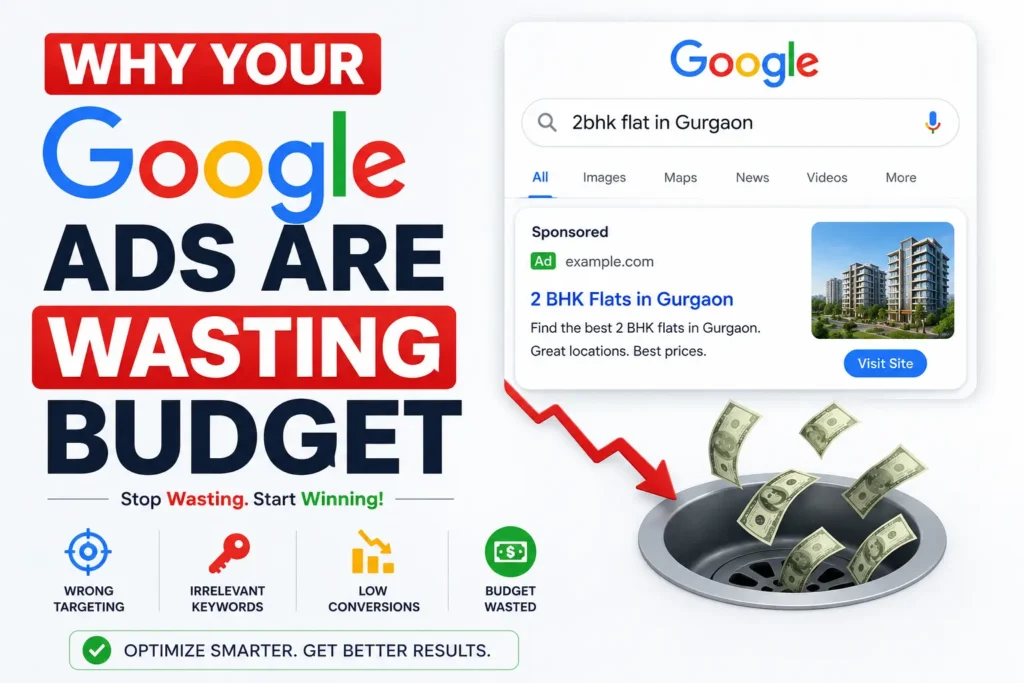
Why Your Google Ads Are Wasting Budget and How to Fix It in 2026. Is your Google Ads budget disappearing with little return? I break down the most common Google Ads campaign mistakes draining your ROAS in 2026 — and the exact fixes that restore performance.
How to Fix Why Your Google Ads Are Wasting Budget
You are spending money on Google Ads every single day. The clicks are coming in. The dashboard looks busy. But when you check the revenue, the numbers do not add up.
This is not an unusual situation. It is the default situation for most Google Ads accounts that have not been properly audited and optimized. According to WordStream’s 2026 analysis, the average Google Ads account wastes 61% of its budget on irrelevant clicks, poor keyword targeting, and broken tracking. More than half of every rupee spent is going somewhere it should not.
I have reviewed enough Google Ads accounts across different industries to know that budget waste rarely comes from one catastrophic mistake. It comes from several small, structural decisions — made at setup, never revisited — that compound into a serious performance problem over time.
This article breaks down every major mistake I have seen draining Google Ads budgets in 2026, explains exactly why each one happens, and gives you the specific fixes that restore ROAS. Work through these in sequence, and your account will look different in 30 days.
First Fix Your Conversion Tracking in Google Ads
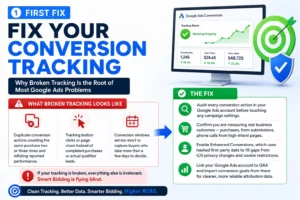
Why Broken Tracking Is the Root of Most Google Ads Problems
I want to be direct about this before we discuss anything else: if your conversion tracking is broken, everything else in this article is irrelevant.
Google’s Smart Bidding algorithms — Target ROAS, Target CPA, Maximize Conversions — optimize toward whatever you define as a conversion. If that definition is wrong, the algorithm optimizes in the wrong direction, confidently and expensively. High ROAS campaigns do not happen by accident. They are built on clean, reliable conversion data. If your tracking is broken or incomplete, Smart Bidding is flying blind.
What Broken Tracking Actually Looks Like
The most common tracking failures I find in Google Ads accounts: duplicate conversion actions counting the same purchase two or three times and inflating reported performance, tracking button clicks or page views instead of completed purchases or actual qualified leads, and conversion windows set too short to capture buyers who take more than a few days to decide.
The Fix
Audit every conversion action in your Google Ads account before touching any campaign settings. Confirm you are measuring real business outcomes — purchases, form submissions, phone calls from high-intent pages. Enable Enhanced Conversions, which uses hashed first-party data to fill gaps from iOS privacy changes and cookie restrictions. Link your Google Ads account to GA4 and import conversion goals from there for cleaner, more reliable attribution data.
Broad Match Keywords Without a Negative Keyword Strategy
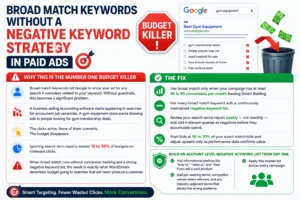
Why This Is the Number One Budget Killer
Broad match keywords tell Google to show your ad for any search it considers related to your keyword. Without guardrails, this becomes a significant problem. A business selling accounting software starts appearing in searches for accountant job vacancies. A gym equipment store starts showing ads to people looking for gym membership deals. The clicks arrive. None of them converts. The budget disappears.
Ignoring search term reports wastes 15 to 30% of budgets on irrelevant clicks. When broad match runs without conversion tracking and a strong negative keyword list, the result is exactly what WordStream describes: budget going to searches that will never produce a customer.
The Fix
Use broad match only when your campaign has at least 30 to 50 conversions per month feeding Smart Bidding. Pair every broad match keyword with a continuously maintained negative keyword list. Review your search terms report weekly — not monthly — and add irrelevant queries as negatives before they accumulate spend. Start bids at 50 to 70% of your exact match bids and adjust upward only as performance data confirms value.
Build an account-level negative keyword list from day one. Add informational prefixes like “how to,” “what is,” and “free” if you sell a paid product. Add job-seeking terms, competitor names where relevant, and any industry-adjacent terms that attract the wrong audience. Apply this master list across every campaign.
Premature Smart Bidding and Account Fragmentation
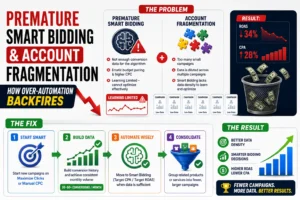
How Over-Automation Backfires
The biggest bidding mistake in 2026 is premature automation — switching to Smart Bidding before accumulating sufficient conversion data. Accounts that follow a maturity-based bidding progression see 34% higher ROAS and 28% lower CPA compared to accounts that immediately adopt automated bidding strategies.
Smart Bidding requires data. Without enough conversion history, the algorithm makes statistically uninformed guesses. The result is erratic budget pacing, inflated cost-per-click, and a campaign stuck in permanent Learning Limited status — a warning that means the algorithm cannot optimize effectively because it does not have enough signal.
Account fragmentation compounds this problem. Having many small campaigns with minimal individual budgets is one of the most common structural mistakes in Google Ads management. Modern AI needs data density. When you fragment your account across too many campaigns, you dilute the signals that Smart Bidding depends on. If a campaign does not reach at least 30 to 50 conversions per month, Target CPA or Target ROAS bidding cannot optimize effectively.
The Fix
Start new campaigns on Maximize Clicks or manual CPC to build a conversion history before switching to automated bidding. Move to Smart Bidding only after consistent monthly conversion volume is established. Consolidate fragmented campaigns by grouping related products or services — fewer, larger, better-fed campaigns outperform many small data-starved ones every time.
Ignoring the Search Terms Report Before Running Ads
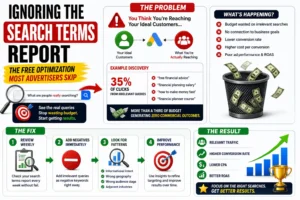
The Free Optimization Most Advertisers Skip
The search terms report shows you the actual queries that triggered your ads. It is the clearest possible picture of where your budget is actually going versus where you think it is going. In most unoptimized accounts, a significant portion of spend goes to searches with no realistic connection to the business outcome you are trying to achieve.
An agency managing financial services accounts had not reviewed search terms in three months. When they finally audited the reports, 35% of clicks came from queries like “free financial advice” and “financial planning salary” — completely unrelated to their client’s paid consultation services. That is more than a third of the budget generating zero commercial outcomes.
The Fix
Review your search terms report every week without exception. This is a non-negotiable weekly task, not an occasional check. Add irrelevant queries as negative keywords immediately when you find them. Look for patterns: informational intent where you need commercial intent, wrong geography, wrong audience stage, and adjacent industries. Each pattern you identify becomes a source of negative keywords that improve performance going forward.
Generic Ad Copy That Nobody Remembers
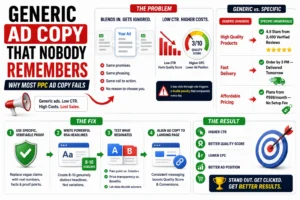
Why Most PPC Ad Copy Fails
Generic ad copy achieves 40 to 60% lower engagement than personalised variants with specific numbers, unique value propositions, and emotional triggers. Most Google Ads copy is interchangeable with every competitor in the same auction. Same promises. Same phrasing. Same call to action. Nothing that gives a buyer a reason to choose you specifically.
A low click-through rate does more damage than most advertisers realise. It directly lowers your Quality Score, which increases your cost-per-click and reduces your ad position — a double penalty that compounds every day weak copy runs.
The Fix
Replace vague claims with specific, verifiable proof points. “High Quality Products” becomes “4.9 Stars from 2,400 Verified Reviews.” “Fast Delivery” becomes “Order by 3 PM — Delivered Tomorrow.” “Affordable Pricing” becomes “Plans from ₹999/month — No Setup Fee.”
Write Responsive Search Ads with a minimum of 8 to 10 genuinely distinct headlines — not variations of the same idea. Test headlines that lead with a pain point against headlines that lead with the solution. Test price transparency against benefit-led copy. Let the performance data tell you what resonates with your specific audience.
Align ad copy tightly to the landing page it sends traffic to. Messaging discontinuity between ad and landing page damages both your Quality Score and your conversion rate simultaneously.
Performance Max Cannibalising Your Own Traffic
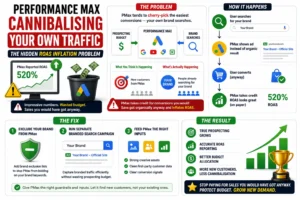
The Hidden ROAS Inflation Problem
Performance Max campaigns are genuinely powerful when used correctly. When used incorrectly — which covers most accounts running them — they quietly destroy ROAS while reporting numbers that look impressive on the surface.
Because PMax mixes Search, Shopping, YouTube, and Display in a black box, it tends to cherry-pick the easiest conversions available — which often means bidding on your own brand name. When PMax spends your prospecting budget showing ads to people already searching for your brand, it records those conversions as PMax-driven results and inflates reported ROAS. You are paying for sales you would have generated organically anyway.
The Fix
Add brand exclusion lists to your Performance Max campaigns. Run a separate branded search campaign in parallel to capture branded traffic without wasting prospecting budget on it. Feed PMax strong creative assets, clean first-party customer data, and clear conversion signals before expecting it to acquire genuinely new customers effectively. Without these inputs, PMax optimizes for the path of least resistance — which is rarely prospecting.
Sending Paid Traffic to Weak Landing Pages
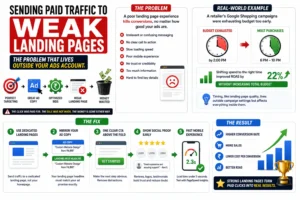
The Problem That Lives Outside Your Ads Account
You can have perfect keyword targeting, excellent ad copy, and a well-configured bid strategy. If the landing page delivers a poor experience, none of it converts. The click was paid for. The sale was not made. And the money is gone either way.
A retailer spending significantly on Google Shopping found their daily budget was consistently exhausted by 2 PM. Analysis showed that most purchases happened between 6 PM and 10 PM — meaning the budget ran out before peak conversion hours. Shifting spend to the right time improved ROAS by 22% without increasing total budget. Timing, like landing page quality, is a factor that lives outside the campaign settings and affects everything inside them.
The Fix
Every paid campaign should send traffic to a dedicated landing page, not a generic homepage. The page headline must mirror the ad copy precisely — if the ad says “Custom Website Design from ₹4,999,” the landing page headline must reflect the same specific claim. One clear call to action above the fold. Social proof — reviews, client logos, testimonials — visible immediately without scrolling. Mobile load time below three seconds, tested with Google PageSpeed Insights before traffic runs.
The 4-Week ROAS Recovery Plan
If your ROAS is below target right now, work through this sequence:
- Week 1 — Foundation audit: Verify all conversion actions. Eliminate duplicates. Enable Enhanced Conversions. Confirm you are tracking real business outcomes, not proxy metrics.
- Week 2 — Keyword hygiene: Pull the full search terms report. Add all irrelevant queries as negatives. Review broad match keywords against conversion data. Build or update your account-level negative keyword list.
- Week 3 — Structure and bidding: Identify campaigns below 30 conversions per month. Consolidate where possible. Evaluate whether Smart Bidding campaigns have enough data to function. Add brand exclusion lists to Performance Max.
- Week 4 — Creative and landing page quality: Rewrite the weakest performing ad groups with specific, differentiated copy. Test landing page load speed. Fix messaging discontinuity between ads and destination pages. Begin systematic RSA headline testing.
- Ongoing — Weekly review discipline: Search terms report. Negative keyword additions. Ad performance comparison. Landing page conversion rate monitoring. Campaign learning status checks.
FAQs
Why is my Google Ads ROAS suddenly low?
The most common causes are broken conversion tracking, a change in search term quality triggering broader traffic, a bid strategy switch that restarted the learning period, or a landing page issue reducing conversions from existing traffic. Audit conversion tracking first, then the search terms report.
How many conversions does Smart Bidding need to work properly?
At minimum 30 to 50 conversions per month per campaign. Below this threshold, Target ROAS and Target CPA do not have enough data to optimize effectively, resulting in erratic performance and Learning Limited status.
Does Performance Max actually improve ROAS?
It can — but only when fed strong creative assets, clean first-party data, and clear conversion signals. Without these inputs, PMax frequently cannibalises branded search traffic and reports inflated ROAS from sales that would have happened organically.
How often should I review my search terms report?
Weekly, without exception. Ignoring search term reports wastes 15 to 30% of budgets on irrelevant clicks. Weekly reviews prevent wasted spend from accumulating across months.
What is the fastest way to reduce Google Ads budget waste?
Audit and fix conversion tracking, add negative keywords based on the search terms report, and check whether Performance Max is spending budget on branded queries. These three actions alone typically cut wasted spend by 20 to 40% without reducing the total budget.
The Budget Is Not the Problem
Most advertisers who struggle with Google Ads believe the solution is a bigger budget. In my experience, a bigger budget almost always makes a leaking account leak faster.
The problem is rarely the budget. It is the structural decisions inside the account — broken tracking, uncontrolled broad match, premature automation, generic copy, weak landing pages — that prevent the budget from working as hard as it should.
Every mistake in this article is fixable. None of them requires starting over from scratch. They require a clear audit, an honest assessment of what is broken, and the discipline to fix the foundation before adding more fuel.
Fix your conversion tracking. Clean your keyword targeting. Feed your bidding strategy the data it needs. Write copy that gives people a real reason to click. Send that traffic to a page that gives them a real reason to buy.
Do those five things consistently, and your ROAS will follow.
Author – Navdeep Kr –
I am a digital marketer who creates content about SEO, Meta Ads, Google Ads, Website Development, and e-commerce growth strategies. I create genuine, experience-based solutions for store owners, marketers, and entrepreneurs to improve business results. If you believe that your online business is not progressing as expected. Don’t hesitate to get in touch with me to access all your online solutions in one place.