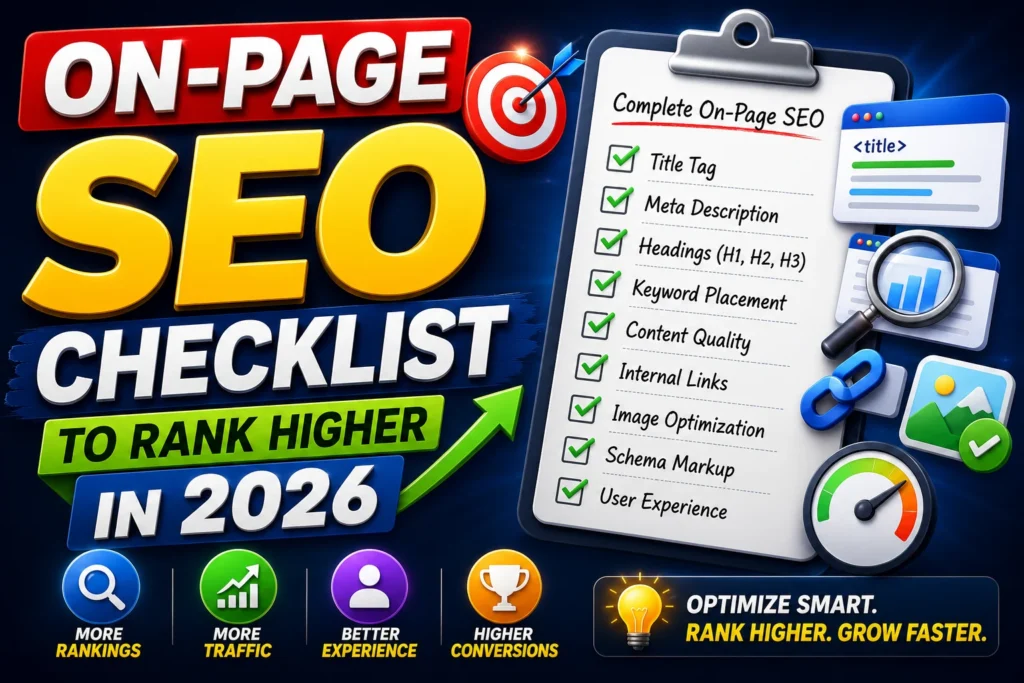
Use this on-page SEO checklist to rank higher in 2026 from keyword placement, titles, headings, internal links, UX, images, schema, and a repeatable optimization workflow.
If you’ve done keyword research and written a decent article but still aren’t ranking, the issue is often on-page SEO.
On-page SEO is everything you do inside a page to help Google understand it and to make users stay, scroll, and take action. In real projects I’ve worked on (across 25+ SEO campaigns and 45+ websites), on-page improvements like better titles, cleaner structure, internal linking, and content upgrades have delivered noticeable ranking lifts—sometimes without building a single new backlink.
Complete On-Page SEO Checklist Step-by-Step
This article is the step-by-step on-page SEO checklist you can use for:
- blog posts
- service pages
- landing pages
- product pages
Step 1: Get the Keyword Targeting Right
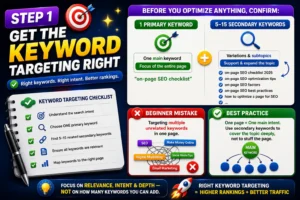
Before you optimize anything, confirm:
- one primary keyword
- 5–15 secondary keywords (variations and subtopics)
Beginner mistake: targeting multiple unrelated keywords on one page.
Best practice:
- One page = one main intent.
- Use secondary keywords to cover the topic deeply, not to stuff the page.
Read the topic on Keyword Research for Beginners for better understanding about keyword research types and their importance to rank on the search engine result page
Step 2: Optimize the Title Tag
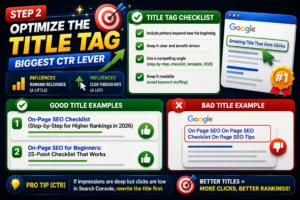
Your title tag influences:
- ranking relevance (a little)
- click-through rate (a lot)
Title Tag Checklist
✅ Include primary keyword near the beginning
✅ Keep it clear and benefit-driven
✅ Use a compelling angle (step-by-step, checklist, template, 2026)
✅ Keep it readable (avoid keyword stuffing)
Good examples:
- “On-Page SEO Checklist (Step-by-Step for Higher Rankings in 2026)”
- “On-Page SEO for Beginners: 25-Point Checklist That Works”
Bad examples:
- “On Page SEO On Page SEO Checklist On Page SEO Tips” (spammy)
Pro tip (CTR):
If impressions are deep but clicks are low in Search Console, rewrite the title first.
Step 3: Write a Clickable Meta Description (Not a Ranking Factor, But a Traffic Factor)
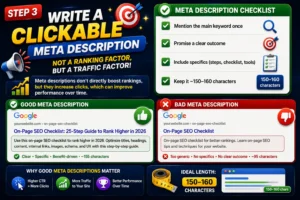
Meta descriptions don’t directly boost rankings, but they increase clicks, which can improve performance over time.
Meta Description Checklist
✅ Mention the main keyword once
✅ Promise a clear outcome
✅ Include specifics (steps, checklist, tools)
✅ Keep it ~150–160 characters
Example:
“Use this on-page SEO checklist to rank higher in 2026—titles, headings, internal links, content structure, images, schema, and UX optimization.”
Step 4: Optimize the URL (Clean and Simple)
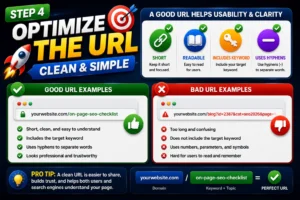
A good URL helps usability and clarity.
✅ Short
✅ Readable
✅ Includes keyword
✅ Uses hyphens
Good:/on-page-seo-checklist
Bad:/blog?id=2387&cat=seo2026
Step 5: Use One H1 and a Clear Heading Structure (H2/H3)
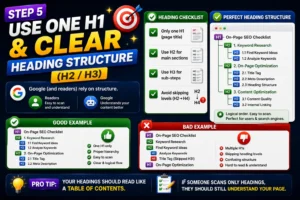
Google (and readers) rely on structure.
Heading Checklist
✅ Only one H1 (page title)
✅ Use H2 for main sections
✅ Use H3 for sub-steps
✅ Avoid skipping levels (H2 → H4)
Pro tip:
Your headings should read like a table of contents. If someone scans only headings, they should still understand your page.
Step 6: Optimize the First 100 Words (Relevance Signal)
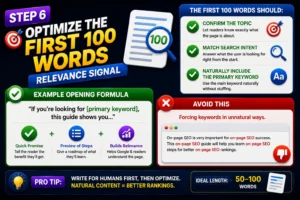
The first 100 words should:
- Confirm the topic
- match search intent
- naturally include the primary keyword
Example opening formula:
- “If you’re looking for [primary keyword], this guide shows you…”
- Add a quick promise and preview of the steps.
Avoid: forcing keywords in unnatural ways.
Step 7: Create Content That Fully Satisfies Intent
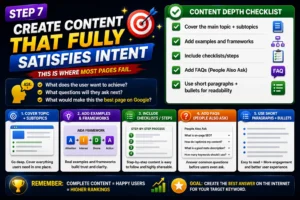
This is where most pages fail.
Ask:
- What does the user want to achieve?
- What questions will they ask next?
- What would make this the best page on Google?
Content Depth Checklist
✅ Cover the main topic + subtopics
✅ Add examples and frameworks
✅ Include checklists/steps
✅ Add FAQs (People Also Ask)
✅ Use short paragraphs + bullets for readability
From my experience:
Pages rank faster when they answer follow-up questions inside the same article (Google sees it as complete and helpful).
Step 8: Keyword Placement (Natural, Strategic)
Keyword placement still matters, but it must feel natural.
Keyword Placement Checklist
✅ Primary keyword in:
- Title tag
- H1
- first 100 words
- 1–2 H2s (if natural)
- conclusion (optional)
✅ Secondary keywords in:
- H2/H3 where relevant
- body content naturally
- FAQs
✅ Use semantic terms (related words) to show topical coverage.
Avoid:
- keyword stuffing
- repeating an exact match in every paragraph
Rule I follow:
Write naturally first, optimize after.
Step 9: Internal Linking (Topical Authority Booster)
Internal links help:
- Google crawl pages
- pass authority
- build topical clusters
- improve time on site
Internal Linking Checklist
✅ Link to 2–5 relevant pages (clusters)
✅ Use descriptive anchor text (not “click here”)
✅ Link both ways: pillar → cluster and cluster → pillar
✅ Add links where they help the reader (not forced)
Example internal links for your SEO silo:
- link to “SEO for Beginners.”
- link to “Keyword Research for Beginners.”
- link to “Technical SEO Made Simple” (future silo)
Step 10: Optimize Images (SEO + UX)
Images improve engagement, but can hurt speed if not optimized.
Image Checklist
✅ Compress images (fast loading)
✅ Use descriptive filenames:
on-page-seo-checklist.png
✅ Add alt text that describes the image:- Alt: “on page SEO checklist for beginners.”
✅ Use relevant visuals (checklists, diagrams)
Pro tip:
Add 3–5 images in long-form content. It improves readability and time on page.
Step 11: Add Schema Markup (Rich Results Advantage)
Schema helps Google understand your page and can improve SERP appearance.
Best schema types for on-page SEO articles:
- Article schema
- FAQ schema (for your FAQ section)
- HowTo schema (if you present steps clearly)
Even when the schema doesn’t create rich snippets, it improves clarity for AI search systems.
Step 12: Improve UX and Readability (Hidden Ranking Factor)
User experience affects:
- bounce rate
- dwell time
- engagement
UX Checklist
✅ Short paragraphs (2–3 lines)
✅ Bullets and numbered steps
✅ Bold key points
✅ Clear table of contents
✅ Mobile-friendly formatting
✅ Fast page load
✅ Avoid heavy popups
Quick rule:
If the page feels hard to read on mobile, rankings suffer.
Common On-Page SEO Mistakes to Avoid
- Writing without intent (content mismatch)
- Weak titles (low CTR)
- No internal linking (slow crawling + weak authority)
- Thin content (doesn’t answer the full query)
- Over-optimizing keywords (stuffing)
- Ignoring mobile readability
- Heavy images are slowing the page
Conclusion
If you want faster SEO results, start with on-page SEO. It’s the easiest “lever” to pull because it’s fully in your control.
A well-optimized page:
- matches intent
- is structured clearlyIt
- is easy to read
- is technically clean
- is connected through internal links
Follow this checklist consistently, and you’ll see more rankings, more clicks, and better conversions.
(Internal link suggestion: Point readers back to your pillar article: How to Start Digital Marketing from Scratch.)
FAQs
What is on-page SEO?
On-page SEO is optimizing elements on your webpage—titles, headings, content, internal links, and UX—so Google can understand it and rank it higher.
What is the most important on-page SEO factor?
Search intent satisfaction and content structure are the biggest factors. If your page answers the query clearly and completely, it has a higher chance of ranking.
How many times should I use my keyword on a page?
Use the primary keyword naturally in key places (title, H1, intro). Then focus on covering the topic with related terms instead of repeating the same keyword.
Do meta descriptions help SEO?
Meta descriptions don’t directly affect rankings, but they improve CTR, which increases traffic and can improve performance.
How do I improve on-page SEO quickly?
Update titles/meta for CTR, add missing subtopics, improve internal linking, add FAQs, compress images, and improve readability.
Author – Navdeep Kr –
I am a digital marketer who creates content about SEO, Meta Ads, Google Ads, Website Development, and e-commerce growth strategies. I create genuine, experience-based solutions for store owners, marketers, and entrepreneurs to improve business results. If you believe that your online business is not progressing as expected. Don’t hesitate to get in touch with me to access all your online solutions in one place.

Pingback: Technical SEO A Complete Step-by-Step Guide 2026 - Navdeep kr